
Туториал Делаем кнопки "Зайти на сервер", "Обновить" и отображение кол-ва игроков в гл. меню.

  1. Открываем класс net.minecraft.client.gui.GuiMultiplayer.
  2. В конец метода initGui() добавляем:
    Java:
    this.mc.displayGuiScreen(new GuiMainMenu());
  3. Создаём класс PingTask и добавляем в него:
    Java:
    public class PingTask extends FutureTask<PingTask.AdvServerData>
    {
        private boolean isOnline = false;
    
        public PingTask(final String ip, final OldServerPinger pinger)
        {
            super(new Callable<PingTask.AdvServerData>()
            {
                @Override
                public AdvServerData call()
                {
                    AdvServerData data = new AdvServerData(ip);
                    try
                    {
                        pinger.func_147224_a(data);
                        data.isOnline = true;
                    }
                    catch (Exception e)
                    {
                        data.isOnline = false;
                    }
                    return data;
                }
            });
        }
       
        public static class AdvServerData extends ServerData
        {
            public boolean isOnline;
    
            public AdvServerData(String ip)
            {
                super("", ip);
            }
        }
    }
  4. Открываем класс net.minecraft.client.gui.GuiMainMenu.
  5. В самое начало ТЕЛА класса добавляем:
    Java:
    private static final String defText = "Зайти на сервер";
    private static final String disabledText = "Сервер выключен";
    private static final String pingingText = "Пингование сервера...";
    private static final String ip = "mc.hypixel.net:25565";
    private OldServerPinger pinger = new OldServerPinger();
    private PingTask pingTask;
    private GuiButton joinButton;
  6. В конец метода GuiMainMenu() добавляем:
    Java:
    FMLClientHandler.instance().setupServerList();
  7. В начало метода updateScreen() добавляем:
    Java:
    this.pinger.func_147223_a();
    if (this.pingTask != null && this.pingTask.isDone())
    {
        try
        {
            AdvServerData data = this.pingTask.get();
            if (data.isOnline)
            {
                if (Strings.isNullOrEmpty(data.populationInfo)) this.joinButton.displayString = pingingText;
                else
                {
                    this.joinButton.displayString = defText + " [" + data.populationInfo + "§f]";
                    this.pingTask = null;
                }
            }
            else this.joinButton.displayString = disabledText;
        }
        catch (Exception e)
        {
        }
    }
  8. После метода из пункта 7 добавляем:
    Java:
    public void onGuiClosed()
    {
        this.pinger.func_147226_b();
    }
    
    private void ping()
    {
        if (this.pingTask != null && !this.pingTask.isCancelled()) this.pingTask.cancel(false);
        Thread t = new Thread(this.pingTask = new PingTask(ip, this.pinger));
        t.setDaemon(true);
        t.start();
        this.joinButton.displayString = pingingText;
    }
  9. В методе addSingleplayerMultiplayerButtons(int, int) заменяем:
    Java:
    this.buttonList.add(new GuiButton(2, this.width / 2 - 100, p_73969_1_ + p_73969_2_ * 1, I18n.format("menu.multiplayer", new Object[0])));
    на:
    Java:
    boolean needPing = this.joinButton == null;
    this.buttonList.add(this.joinButton = new GuiButton(2, this.width / 2 - 100, p_73969_1_ + p_73969_2_, needPing ? pingingText : this.joinButton.displayString));
    if (needPing) this.ping();
    GuiButton updateButton = new GuiButton(100, this.width / 2 + 102, p_73969_1_ + p_73969_2_, "Обновить");
    updateButton.width = 50;
    this.buttonList.add(updateButton);
  10. В начале метода actionPerformed(GuiButton) добавляем:
    Java:
    if (p_146284_1_.id == 100) this.ping();
  11. В методе из пункта 10 заменяем:
    Java:
    this.mc.displayGuiScreen(new GuiMultiplayer(this));
    на:
    Java:
    FMLClientHandler.instance().connectToServer(new GuiMultiplayer(this), new AdvServerData(ip));

  1. Устанавливаем MCP (этому я учить не буду).
  2. В папке 'src/minecraft/net/minecraft/client/gui' открываем файл 'GuiMultiplayer'.
  3. Находим метод func_74017_b и заменяем private на public.
  4. Создаём класс Pinger, расширяющий класс Thread, со следующим кодом:
    Java:
    private volatile boolean finishedThread = false;
        private volatile boolean finishedPing = false;
        private volatile boolean offline = false;
        private volatile boolean sdWasUsed = false;
        private volatile boolean ping = false;
        private volatile ServerData sd;
       
        public Pinger() {
            this.setDaemon(true);
            this.setName("Pinger");
        }
       
        @Override
        public void run() {
            do if(this.finishedThread) return;
            else if(this.ping) {
                this.ping = false;
                this.offline = false;
                this.finishedPing = false;
                this.sdWasUsed = false;
                try {
                    GuiMultiplayer.func_74017_b(this.sd);
                } catch (Exception e) {
                    this.offline = true;
                }
                this.finishedPing = true;
            }
            while(true);
        }
       
        public void finish() {
            this.finishedThread = true;
        }
       
        public void setServerData(ServerData sd) {
            this.sdWasUsed = false;
            this.sd = sd;
        }
       
        public ServerData getServerData() {
            this.sdWasUsed = true;
            return this.sd;
        }
       
        public void ping() {
            this.ping = true;
        }
       
        public boolean isFinished() {
            return this.finishedPing;
        }
       
        public boolean isOffline() {
            return this.offline;
        }
       
        public boolean isUsed() {
            return this.sdWasUsed;
        }
  5. В папке с 'GuiMultiplayer' открываем файл 'GuiMainMenu'.
  6. Добавляем поля:
    Java:
    private ServerData sd = new ServerData("", "127.0.0.1");
    private GuiButton multiplayerButton;
    private Pinger pinger;
  7. Находим метод addSingleplayerMultiplayerButtons и меняем строку
    Java:
    this.multiplayerButton = new GuiButton(2, this.width / 2 - 100, par1 + par2 * 1, "Сервер выключен");
    if(this.pinger == null || !this.pinger.isAlive())
    {
           this.pinger = new Pinger();
           this.pinger.start();
           this.pinger.setServerData(this.sd);
           this.pinger.ping();
    }
    this.buttonList.add(multiplayerButton);
    GuiButton updateButton = new GuiButton(21, this.width / 2 + 102, par1 + par2 * 1, "Обновить");
    updateButton.width = 50;
    this.buttonList.add(updateButton);
  8. Находим метод updateScreen и добавляем в его конец следующий код:
    Java:
    if(this.pinger.isAlive()) {
                if(!this.pinger.isUsed()) {
                    if(this.pinger.isFinished()) {
                        this.sd = this.pinger.getServerData();
                        if(!this.pinger.isOffline()) {
                            this.multiplayerButton.displayString = "§fЗайти на сервер [" + this.sd.populationInfo + "§f]";
                        } else {
                            this.multiplayerButton.displayString = "Сервер выключен";
                        }
                    }
                }
            }
  9. Добавляем следующий метод:
    Java:
    public void onGuiClosed() {
            this.pinger.finish();
        }
  10. Находим метод actionPerformed и меняем строку
    Java:
    this.mc.displayGuiScreen(new GuiMultiplayer(this));
    на следующий код:
    Java:
    this.mc.displayGuiScreen(new GuiConnecting(this, this.mc, this.sd));
  11. В этот же метод добавляем этот код:
    Java:
    if (par1GuiButton.id == 21) {
                this.pinger.ping();
    }

  1. Устанавливаем MCP (этому я учить не буду).
  2. В папке 'src/minecraft/net/minecraft/client/gui' открываем файл 'GuiMultiplayer'.
  3. Находим метод func_74017_b и заменяем private на public.
  4. В этой же папке открываем файл 'GuiMainMenu'.
  5. Добавляем поля:
    Java:
    private ServerData sd = new ServerData("", "127.0.0.1");
    private GuiButton multiplayerButton;
  6. Находим метод addSingleplayerMultiplayerButtons и меняем строку
    Java:
    this.buttonList.add(new GuiButton(2, this.width / 2 - 100, par1 + par2 * 1, par3StringTranslate.translateKey("menu.multiplayer")));
    на этот код:
    Java:
    this.multiplayerButton = new GuiButton(2, this.width / 2 - 100, par1 + par2 * 1, "");
    try {
                GuiMultiplayer.func_74017_b(sd);
                 this.multiplayerButton.displayString = "§fЗайти на сервер [" + this.sd.populationInfo + "§f]";
    } catch (IOException e) {
                 this.multiplayerButton.displayString = "Сервер выключен";
    }
    this.buttonList.add(this.multiplayerButton);
    GuiButton updateButton = new GuiButton(21, this.width / 2 + 102, par1 + par2 * 1, "Обновить");
    updateButton.width = 50;
    this.buttonList.add(updateButton);
  7. Находим метод actionPerformed и меняем строку
    Java:
    this.mc.displayGuiScreen(new GuiMultiplayer(this));
    на следующий код:
    Java:
    this.mc.displayGuiScreen(new GuiConnecting(this, this.mc, this.sd));
  8. В этот же метод добавляем этот код:
    Java:
    if (par1GuiButton.id == 21) {            
    try {                
    GuiMultiplayer.func_74017_b(this.sd);                
    this.multiplayerButton.displayString = "§fЗайти на сервер [" + sd.populationInfo + "§f]";            
    } catch (IOException e) {                
    this.multiplayerButton.displayString = "Сервер выключен";            
    }
    }

  1. Находим класс GUI, в котором мы хотим добавить выключение кнопки.
  2. Добавляем следующие поля:
    Java:
    private static int ticksCount = 0;
    private static int freezeTime = <время выключения, умноженное на 20>;
  3. Находим метод updateScreen и добавляем в него следующий код:
    Java:
    if (BUTTON.enabled == false) {
                 this.ticksCount++;
                if (this.ticksCount == this.freezeTime) {
                    BUTTON.enabled = true;
                }
    }
  4. Находим в методе actionPerformed обработчик нужной нам кнопки и добавляем в этот обработчик следующий код:
    Java:
    this.ticksCount = 0;
    BUTTON.enabled = false;
Вместо BUTTON необходимо вставить указатель на объект GuiButton (например, minecraftRealmsButton).


П - проблема, Р - решение.

П: Forge "ругается" на невалидные классы.
Р: Необходимо добавить следующие JVM флаги:
Код:
-Dfml.ignoreInvalidMinecraftCertificates=true -Dfml.ignorePatchDiscrepancies=true

П: ForgeGradle не обфусцирует классы.
Р: Классы можно обфусцировать вручную с помощью BON.

П: ForgeGradle превращает кириллицу в иероглифы.
Р: В файл build.gradle после строки "apply plugin: 'forge'" добавляем следующий текст:
Код:
[ compileJava, compileTestJava ]*.options*.encoding = 'UTF-8'

ВНИМАНИЕ: После какого-то обновление Forge требуется написать новую реализацию под 1.7.10.
 
Последнее редактирование:
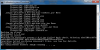
Вот выскакивает(
 

Вложения

  • проблема.png
    проблема.png
    66,1 КБ · Просмотры: 84
Спасибо, сейчас проверю 👍
Спасибо работает.
Когда закинул классы, такая ошибка(

[02:20:18 INFO]: Client> java.lang.SecurityException: SHA1 digest error for blt.class
[02:20:18 INFO]: Client> at sun.security.util.ManifestEntryVerifier.verify(ManifestEntryVerifier.java:218)
[02:20:18 INFO]: Client> at java.util.jar.JarVerifier.processEntry(JarVerifier.java:241)
[02:20:18 INFO]: Client> at java.util.jar.JarVerifier.update(JarVerifier.java:228)
[02:20:18 INFO]: Client> at java.util.jar.JarVerifier$VerifierStream.read(JarVerifier.java:482)
[02:20:18 INFO]: Client> at java.io.FilterInputStream.read(FilterInputStream.java:133)
[02:20:18 INFO]: Client> at net.minecraft.launchwrapper.LaunchClassLoader.readFully(LaunchClassLoader.java:296)
[02:20:18 INFO]: Client> at net.minecraft.launchwrapper.LaunchClassLoader.getClassBytes(LaunchClassLoader.java:368)
[02:20:18 INFO]: Client> at cpw.mods.fml.common.patcher.ClassPatchManager.getPatchedResource(ClassPatchManager.java:65)
[02:20:18 INFO]: Client> at cpw.mods.fml.common.asm.transformers.deobf.FMLDeobfuscatingRemapper.getFieldType(FMLDeobfuscatingRemapper.java:225)
[02:20:18 INFO]: Client> at cpw.mods.fml.common.asm.transformers.deobf.FMLDeobfuscatingRemapper.parseField(FMLDeobfuscatingRemapper.java:202)
[02:20:18 INFO]: Client> at cpw.mods.fml.common.asm.transformers.deobf.FMLDeobfuscatingRemapper.setup(FMLDeobfuscatingRemapper.java:163)
[02:20:18 INFO]: Client> at cpw.mods.fml.common.asm.FMLSanityChecker.injectData(FMLSanityChecker.java:245)
[02:20:18 INFO]: Client> at cpw.mods.fml.relauncher.CoreModManager$FMLPluginWrapper.injectIntoClassLoader(CoreModManager.java:123)
[02:20:18 INFO]: Client> at net.minecraft.launchwrapper.Launch.launch(Launch.java:111)
[02:20:18 INFO]: Client> at net.minecraft.launchwrapper.Launch.main(Launch.java:27)
[02:20:18 INFO]: Client> 2014-06-29 02:20:18 [SEVERE] [ForgeModLoader] There is a binary discrepency between the expected input class blt (blt) and the actual class. Checksum on disk is 1, in patch 5e798491. Things are probably about to go very wrong. Did you put something into the jar file?
[02:20:18 INFO]: Client> 2014-06-29 02:20:18 [SEVERE] [ForgeModLoader] The game is going to exit, because this is a critical error, and it is very improbable that the modded game will work, please obtain clean jar files.
[02:20:18 INFO]: Client> Picked up _JAVA_OPTIONS: -Xmx512m
[02:20:18 ERROR]: Game ended with bad state (exit code 1)
[02:20:18 INFO]: Ignoring visibility rule and showing launcher due to a game crash
[02:20:18 INFO]: Deleting C:\Users\1\AppData\Roaming\.minecraft\versions\1.6.4-Forge9.11.1.965\1.6.4-Forge9.11.1.965-natives-51932761803529
 
Последнее редактирование:
Когда закинул классы, такая ошибка(
[02:20:18 INFO]: Client> java.lang.SecurityException: SHA1 digest error for blt.class
[02:20:18 INFO]: Client> at sun.security.util.ManifestEntryVerifier.verify(ManifestEntryVerifier.java:218)
[02:20:18 INFO]: Client> at java.util.jar.JarVerifier.processEntry(JarVerifier.java:241)
[02:20:18 INFO]: Client> at java.util.jar.JarVerifier.update(JarVerifier.java:228)
[02:20:18 INFO]: Client> at java.util.jar.JarVerifier$VerifierStream.read(JarVerifier.java:482)
[02:20:18 INFO]: Client> at java.io.FilterInputStream.read(FilterInputStream.java:133)
[02:20:18 INFO]: Client> at net.minecraft.launchwrapper.LaunchClassLoader.readFully(LaunchClassLoader.java:296)
[02:20:18 INFO]: Client> at net.minecraft.launchwrapper.LaunchClassLoader.getClassBytes(LaunchClassLoader.java:368)
[02:20:18 INFO]: Client> at cpw.mods.fml.common.patcher.ClassPatchManager.getPatchedResource(ClassPatchManager.java:65)
[02:20:18 INFO]: Client> at cpw.mods.fml.common.asm.transformers.deobf.FMLDeobfuscatingRemapper.getFieldType(FMLDeobfuscatingRemapper.java:225)
[02:20:18 INFO]: Client> at cpw.mods.fml.common.asm.transformers.deobf.FMLDeobfuscatingRemapper.parseField(FMLDeobfuscatingRemapper.java:202)
[02:20:18 INFO]: Client> at cpw.mods.fml.common.asm.transformers.deobf.FMLDeobfuscatingRemapper.setup(FMLDeobfuscatingRemapper.java:163)
[02:20:18 INFO]: Client> at cpw.mods.fml.common.asm.FMLSanityChecker.injectData(FMLSanityChecker.java:245)
[02:20:18 INFO]: Client> at cpw.mods.fml.relauncher.CoreModManager$FMLPluginWrapper.injectIntoClassLoader(CoreModManager.java:123)
[02:20:18 INFO]: Client> at net.minecraft.launchwrapper.Launch.launch(Launch.java:111)
[02:20:18 INFO]: Client> at net.minecraft.launchwrapper.Launch.main(Launch.java:27)
[02:20:18 INFO]: Client> 2014-06-29 02:20:18 [SEVERE] [ForgeModLoader] There is a binary discrepency between the expected input class blt (blt) and the actual class. Checksum on disk is 1, in patch 5e798491. Things are probably about to go very wrong. Did you put something into the jar file?
[02:20:18 INFO]: Client> 2014-06-29 02:20:18 [SEVERE] [ForgeModLoader] The game is going to exit, because this is a critical error, and it is very improbable that the modded game will work, please obtain clean jar files.
[02:20:18 INFO]: Client> Picked up _JAVA_OPTIONS: -Xmx512m
[02:20:18 ERROR]: Game ended with bad state (exit code 1)
[02:20:18 INFO]: Ignoring visibility rule and showing launcher due to a game crash
[02:20:18 INFO]: Deleting C:\Users\1\AppData\Roaming\.minecraft\versions\1.6.4-Forge9.11.1.965\1.6.4-Forge9.11.1.965-natives-51932761803529
Вы забыли удалить папку 'META-INF'. Кстати, если используется Forge, то надо добавить ещё вот эти 2 флага: '-Dfml.ignoreInvalidMinecraftCertificates=true -Dfml.ignorePatchDiscrepancies=true'.
 
Вы забыли удалить папку 'META-INF'. Кстати, если используется Forge, то надо добавить ещё вот эти 2 флага: '-Dfml.ignoreInvalidMinecraftCertificates=true -Dfml.ignorePatchDiscrepancies=true'.
Только про META-INF подумал 😁 Я просто думал, что только в старых версиях надо было её удалять) А куда флаги добавлять?)
 
Только про META-INF подумал 😁 Я просто думал, что только в старых версиях надо было её удалять) А куда флаги добавлять?)
Туда же, куда и любые другие JVM флаги. Если используется, например, лаунчер Сашка, то в исходники, если официальный лаунчер, то в настройки профиля и т.д.
 
Туда же, куда и любые другие JVM флаги. Если используется, например, лаунчер Сашка, то в исходники, если официальный лаунчер, то в настройки профиля и т.д.
Спасибо большое, работает!!! А не подскажите, где в сашке указывать это?)
 
А можно ли сделать так, чтобы при нажатии на кнопку тебя кидало на сайт? Заранее спасибо)
 
Скажите пожалуйста: 4 пункт: Добавляем этот метод: ... Куда? Вообще, было бы очень приятно посмотреть, как всё это делать на видео гайде для 1.7.2 И что вообще за Forge DecompWorkspace и где его брать, можно пожалуйста как-нибудь по подробнее описать.
Всё сделал как в описании через МРС, вот что получилось:
Код:
== ERRORS FOUND in JAVA CODE ==

src\minecraft\net\minecraft\client\gui\GuiMainMenu.java:36: error: cannot find s
ymbol
    private static ServerData sd = new ServerData("", "127.0.0.1");
                   ^

  symbol:   class ServerData
  location: class GuiMainMenu
src\minecraft\net\minecraft\client\gui\GuiMainMenu.java:38: error: cannot find s
ymbol
    private static OldServerPinger pinger = new OldServerPinger();
                   ^

  symbol:   class OldServerPinger
  location: class GuiMainMenu
src\minecraft\net\minecraft\client\gui\GuiMainMenu.java:36: error: cannot find s
ymbol
    private static ServerData sd = new ServerData("", "127.0.0.1");
                                       ^

  symbol:   class ServerData
  location: class GuiMainMenu
src\minecraft\net\minecraft\client\gui\GuiMainMenu.java:38: error: cannot find s
ymbol
    private static OldServerPinger pinger = new OldServerPinger();
                                                ^

  symbol:   class OldServerPinger
  location: class GuiMainMenu
src\minecraft\net\minecraft\client\gui\GuiMainMenu.java:325: error: cannot find
symbol
        updateButton.width = 50;
                    ^

  symbol:   variable width
  location: variable updateButton of type GuiButton
src\minecraft\net\minecraft\client\gui\GuiMainMenu.java:375: error: cannot find
symbol
            FMLClientHandler.instance().connectToServer(new GuiMultiplayer(this)
, this.sd);
            ^

  symbol:   variable FMLClientHandler
  location: class GuiMainMenu
6 errors
==================

!! Can not find server sources, try decompiling !!
Тутор то под фордж. Делай через gradlew, а не mcp.
 
populationinfo не вызывается. (пустые [] при вкл сервер)
Но если зайти на сервер, а потом выйти - проблем исправляется, онлайн выводится корректно
Версия 1710
Делал по форджу.
 
Спасибо, классная вещь, еще бы при выходе с сервера выходило бы на главную сразу, а не в список серверов... 🤓
 
Код:
    public void initGuiControls()
    {
        this.buttonList.add(this.field_96289_p = new GuiButton(7, this.width / 2 - 154, this.height - 28, 70, 20, I18n.func_135053_a("")));
        this.buttonList.add(this.buttonDelete = new GuiButton(2, this.width / 2 - 74, this.height - 28, 70, 20, I18n.func_135053_a("")));
        this.buttonList.add(this.buttonSelect = new GuiButton(1, this.width / 2 - 154, this.height - 52, 308, 20, I18n.func_135053_a("selectServer.select")));
        this.buttonList.add(new GuiButton(8, this.width / 2 - 154, this.height - 28, 152, 20, I18n.func_135053_a("selectServer.refresh")));
        this.buttonList.add(new GuiButton(0, this.width / 2 + 2, this.height - 28, 152, 20, I18n.func_135053_a("gui.cancel")));
        boolean flag = this.selectedServer >= 0 && this.selectedServer < this.serverSlotContainer.getSize();
        this.buttonSelect.enabled = flag;
        this.field_96289_p.enabled = flag;
        this.buttonDelete.enabled = flag;
    }
(Сверху типо удалили кнопочки "добавить", "удалить", "изменить", а в другом файле убрали поддержку servers.dat)Заметил баг. Когда кнопка "обновить" неактивна, ты выбираешь сервер, жмешь на эту неактивную кнопку и можешь удалить сервер из списка или переименовать. Хоть дело не в таймере, а в меню, не мог бы ты помочь с этим?
 
Последнее редактирование:
Назад
Верх Низ