

- Баллы
- 61
- Ник в Minecraft
- _Olerix_
Здравствуйте. Раньше в плагине TabList прекрасно работали префиксы. Плагин сам создавал в groups.yml список групп из luckperms и отображал их в таб-листе по порядку. Сейчас-же что-то случилось и они перестали отображаться. С luckperms у меня всё впорядке, в чате essentialsx подхватывает группу через плейсхолдер, там всё работает... Заранее благодарен за любую помощь!
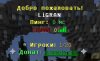
Мой tablist.yml:
Мой config.yml
Мой groups.yml:# Format of the displayed name: prefix - tabname - suffix
# This will be applied to all players without any other group assigned
globalGroup:
prefix: ''
tabname: ''
suffix: ''
groups:
exampleGroup:
prefix: '&a[&cStaff&a]&6 '
tabname: '%player-displayname%'
suffix: '&7 <12>'
Default:
prefix: '&7'
tabname: '%player%'
suffix: ''
Admin:
prefix: '&7<62>&r %anim:Admin%'
tabname: '%player%'
suffix: '&7 <62>'
PlayerName:
prefix: '&a[MyGroup]&7'
tabname: '%player%'
suffix: ''
'&7[ИГРОК]':
prefix: '&7[ИГРОК] &7'
'&f&l[ФЛАЙ]':
prefix: '&f&l[ФЛАЙ] &r'
'&a&l[ВИП]':
prefix: '&a&l[ВИП] &r'
'&2&l[ПРЕМИУМ]':
prefix: '&2&l[ПРЕМИУМ] &r'
'&9&l[КРЕАТИВ]':
prefix: '&9&l[КРЕАТИВ] &r'
'&e&l[ЭЛИТКА]':
prefix: '&e&l[ЭЛИТКА] &r'
'&6&l[УЛЬТРА]':
prefix: '&6&l[УЛЬТРА] &r'
'&d&l[ДЕЛЮКС]':
prefix: '&d&l[ДЕЛЮКС] &r'
'&5&l[ЛЕГЕНДА]':
prefix: '&5&l[ЛЕГЕНДА] &r'
'&8&l[ТИТАН]':
prefix: '&8&l[ТИТАН] &f&l'
'&3&l[ХЕЛПЕР]':
prefix: '&3&l[ХЕЛПЕР] &f&l'
'&b&l[МОДЕР]':
prefix: '&b&l[МОДЕР] &f&l'
'&c&l[АДМИН]':
prefix: '&c&l[АДМИН] &c&l'
'&4&l[ГЛ АДМИН]':
prefix: '&4&l[ГЛ.АДМИН] &4&l'
'&b&l[&b&n&lОВНЕР&b&l]':
prefix: '&b&l[&b&n&lОВНЕР&b&l] &b&n&l'
'&d&l[&d&n&lСПОНСОР&d&l]':
prefix: '&d&l[&d&n&lСПОНСОР&d&l] &d&n&l'
'&c&l[&c&n&lВЛАДЕЛЕЦ&c&l]':
prefix: '&c&l[&c&n&lВЛАДЕЛЕЦ&c&l] &c&n&l'
'&4&l[STAFF]':
prefix: '&4&l[STAFF]&4&l '
----------------------------------------------------# This will be applied to all players without any other group assigned
globalGroup:
prefix: ''
tabname: ''
suffix: ''
groups:
exampleGroup:
prefix: '&a[&cStaff&a]&6 '
tabname: '%player-displayname%'
suffix: '&7 <12>'
Default:
prefix: '&7'
tabname: '%player%'
suffix: ''
Admin:
prefix: '&7<62>&r %anim:Admin%'
tabname: '%player%'
suffix: '&7 <62>'
PlayerName:
prefix: '&a[MyGroup]&7'
tabname: '%player%'
suffix: ''
'&7[ИГРОК]':
prefix: '&7[ИГРОК] &7'
'&f&l[ФЛАЙ]':
prefix: '&f&l[ФЛАЙ] &r'
'&a&l[ВИП]':
prefix: '&a&l[ВИП] &r'
'&2&l[ПРЕМИУМ]':
prefix: '&2&l[ПРЕМИУМ] &r'
'&9&l[КРЕАТИВ]':
prefix: '&9&l[КРЕАТИВ] &r'
'&e&l[ЭЛИТКА]':
prefix: '&e&l[ЭЛИТКА] &r'
'&6&l[УЛЬТРА]':
prefix: '&6&l[УЛЬТРА] &r'
'&d&l[ДЕЛЮКС]':
prefix: '&d&l[ДЕЛЮКС] &r'
'&5&l[ЛЕГЕНДА]':
prefix: '&5&l[ЛЕГЕНДА] &r'
'&8&l[ТИТАН]':
prefix: '&8&l[ТИТАН] &f&l'
'&3&l[ХЕЛПЕР]':
prefix: '&3&l[ХЕЛПЕР] &f&l'
'&b&l[МОДЕР]':
prefix: '&b&l[МОДЕР] &f&l'
'&c&l[АДМИН]':
prefix: '&c&l[АДМИН] &c&l'
'&4&l[ГЛ АДМИН]':
prefix: '&4&l[ГЛ.АДМИН] &4&l'
'&b&l[&b&n&lОВНЕР&b&l]':
prefix: '&b&l[&b&n&lОВНЕР&b&l] &b&n&l'
'&d&l[&d&n&lСПОНСОР&d&l]':
prefix: '&d&l[&d&n&lСПОНСОР&d&l] &d&n&l'
'&c&l[&c&n&lВЛАДЕЛЕЦ&c&l]':
prefix: '&c&l[&c&n&lВЛАДЕЛЕЦ&c&l] &c&n&l'
'&4&l[STAFF]':
prefix: '&4&l[STAFF]&4&l '
Мой tablist.yml:
# Tablist header & footer with animations.
# Available placeholders: https://github.com/montlikadani/TabList/wiki/Placeholders
# Available symbols: https://github.com/montlikadani/TabList/wiki/Symbols
# Use %anim:animationName% placeholder to make an animation. Must be firstly created in animcreator.yml file!
# How do I use this tab section? Take a look at this page: https://github.com/montlikadani/TabList/wiki/TabList-Usage
# Enable the tab to show for all players? (Header & footer)
enabled: true
# Save the toggled tablists to a file and load them after server restart.
# If this false, if the file is exists, it will be deleted automatically at server restart.
remember-toggled-tablist-to-file: true
# Hide tab when the player is vanished?
# Requires Essentials, CMI or SuperVanish plugin!
hide-tab-when-player-vanished: false
# In these worlds tab will NOT be displayed
disabled-worlds:
#- "world1"
# For these players tab will NOT be displayed
blacklisted-players:
#- myname
# Tab update time interval. (In ticks!)
# Set to 0 to disable tab refreshing.
interval: 4
# Define if the header & footer should be randomized.
# Animation placeholders won't be affected.
random: false
header:
- ""
- "&e>&6>&c> MINECRAFT &c<&6<&e<"
- ""
- "&e&lДобро пожаловать!"
- "&f&l%player%&7\n&e&lПинг:&f&l %ping% мс"
footer:
- ""
- "<13>&e&l Игроки:&6 %online-players%&7/&6%max-players%"
- " &7<28> &a&lДонат&7:&2 &nexample.com&7 <28>"
- ""
# Defines per world tablist for different worlds
# You can separate worlds with ", " to show tablist in that worlds
# You can create as many worlds you want
per-world:
my_nether, otherWorld: # you can add multiple worlds here
header: "&3This is a per world plugin %anim:tablist%&3."
footer: "&6World:&7 %world%"
justWorld:
header: "%anim😝erWorld%"
footer: "&6World:&7 %world%"
# Defines per player tablist in this world
per-player:
playerName:
header: "&3This is a per player plugin %anim:tablist%&3."
footer:
- "&6World:&7 %world%"
- "&aPlayer:&8 %player%"
testWorld:
# Defines per group tablist only in the above world
# Requires Vault plugin!
per-group:
groupName:
header: "&3This is a per group plugin %anim:tablist%&3."
footer:
- "&6World:&7 %world%"
- "&aGroup:&8 %vault_rank%"
# Defines per-permission tablist
# Any player/group have tablist.name permission node will use the set of tab header/footer.
#permissions:
# Defines per player handled tablist
per-player:
testplayer:
header: "%anim😝erPlayer%"
footer: "&5&m======================"
# Defines per-grouped tablist for players.
# Requires Vault plugin!
per-group:
vaultGroup:
header: "%anim😝erGroupHead%"
footer: "%anim😝erGroupFoot%"
------------------------------------------------# Available placeholders: https://github.com/montlikadani/TabList/wiki/Placeholders
# Available symbols: https://github.com/montlikadani/TabList/wiki/Symbols
# Use %anim:animationName% placeholder to make an animation. Must be firstly created in animcreator.yml file!
# How do I use this tab section? Take a look at this page: https://github.com/montlikadani/TabList/wiki/TabList-Usage
# Enable the tab to show for all players? (Header & footer)
enabled: true
# Save the toggled tablists to a file and load them after server restart.
# If this false, if the file is exists, it will be deleted automatically at server restart.
remember-toggled-tablist-to-file: true
# Hide tab when the player is vanished?
# Requires Essentials, CMI or SuperVanish plugin!
hide-tab-when-player-vanished: false
# In these worlds tab will NOT be displayed
disabled-worlds:
#- "world1"
# For these players tab will NOT be displayed
blacklisted-players:
#- myname
# Tab update time interval. (In ticks!)
# Set to 0 to disable tab refreshing.
interval: 4
# Define if the header & footer should be randomized.
# Animation placeholders won't be affected.
random: false
header:
- ""
- "&e>&6>&c> MINECRAFT &c<&6<&e<"
- ""
- "&e&lДобро пожаловать!"
- "&f&l%player%&7\n&e&lПинг:&f&l %ping% мс"
footer:
- ""
- "<13>&e&l Игроки:&6 %online-players%&7/&6%max-players%"
- " &7<28> &a&lДонат&7:&2 &nexample.com&7 <28>"
- ""
# Defines per world tablist for different worlds
# You can separate worlds with ", " to show tablist in that worlds
# You can create as many worlds you want
per-world:
my_nether, otherWorld: # you can add multiple worlds here
header: "&3This is a per world plugin %anim:tablist%&3."
footer: "&6World:&7 %world%"
justWorld:
header: "%anim😝erWorld%"
footer: "&6World:&7 %world%"
# Defines per player tablist in this world
per-player:
playerName:
header: "&3This is a per player plugin %anim:tablist%&3."
footer:
- "&6World:&7 %world%"
- "&aPlayer:&8 %player%"
testWorld:
# Defines per group tablist only in the above world
# Requires Vault plugin!
per-group:
groupName:
header: "&3This is a per group plugin %anim:tablist%&3."
footer:
- "&6World:&7 %world%"
- "&aGroup:&8 %vault_rank%"
# Defines per-permission tablist
# Any player/group have tablist.name permission node will use the set of tab header/footer.
#permissions:
# Defines per player handled tablist
per-player:
testplayer:
header: "%anim😝erPlayer%"
footer: "&5&m======================"
# Defines per-grouped tablist for players.
# Requires Vault plugin!
per-group:
vaultGroup:
header: "%anim😝erGroupHead%"
footer: "%anim😝erGroupFoot%"
Мой config.yml
hook:
# Hook to PlaceholderAPI to use custom placeholders.
placeholderapi: true
# Different player list in different world.
per-world-player-list: false
# Fake players that can be added to the player list.
enable-fake-players: false
# If enabled, the gray color will not appear to other players when the player's game mode is spectator.
# The gray color will only show for the spectator player.
# Requires ProtocolLib!
remove-gray-color-from-tab-in-spectator: false
# true - does not count vanished players in %online-players% placeholder.
# Requires Essentials, SuperVanish, PremiumVanish or CMI plugin!
ignore-vanished-players-in-online-players: false
# true - count vanished staff in %staff-online% placeholder,
# but they need to have "tablist.onlinestaff" permission set.
# false - does not count vanished staff in the %staff-online% placeholder
# Requires Essentials, SuperVanish, PremiumVanish or CMI plugin!
count-vanished-staffs: true
# Hide player from player list when a player is AFK?
# Requires Essentials or CMI plugin!
hide-player-from-tab-when-afk: false
# Hide all players from the player list?
# This removes all players from the player list, but the player that has the
# group set is retained as it is not changed during removal, so your group
# will be restored if this option is disabled.
# Requires ProtocolLib to fix view distance issue! (https://github.com/montlikadani/TabList/issues/147)
hide-players-from-tablist: false
# Placeholders formatting
placeholder-format:
# When the player changes the AFK status, change his tablist name format?
afk-status:
enable: false
# Should the AFK format display in right or left side?
# true - displays in right side
# false - displays in left side
show-in-right-or-left-side: true
# Show player's group if the player is AFK?
show-player-group: true
# Sort AFK players to the bottom of the player list?
sort-last: false
# Format when the player is AFK.
format-yes: '&7 [AFK]&r '
# Format when the player is not AFK.
format-no: ''
time:
# Use system default time zone instead of searching for that?
use-system-zone: false
# Time zones: https://www.mkyong.com/java/java-display-list-of-timezone-with-gmt/
# Or google it: "what is my time zone"
time-zone: GMT0
# Formats/examples: https://docs.oracle.com/javase/8/docs/api/java/text/SimpleDateFormat.html
# Format of %server-time% placeholder.
time-format:
format: mm:HH
# Format of %date% placeholder.
date-format:
format: dd/MM/yyyy
# Ping color format for %ping% placeholder.
ping:
enable: true
# Operators usage: https://github.com/montlikadani/TabList/wiki/Ping-or-tps-formatting
formats:
- '&a%ping% <= 200'
- '&6%ping% >= 200'
- '&c%ping% > 500'
# TPS color format for %tps% placeholder.
tps:
# Adds ability to the tps value can be highest than default 20.0
value-can-be-higher: false
enable: true
# Operators usage: https://github.com/montlikadani/TabList/wiki/Ping-or-tps-formatting
formats:
- '&a%tps% > 18.0'
- '&6%tps% == 16.0'
- '&c%tps% < 16.0'
# How many numbers do you want to display after "." in %tps% placeholder?
# The number should be higher than 0.
# Example: 3 = 20.14
size: 2
# Memory bar settings for %memory_bar% variable
memory-bar:
char: '|'
colors:
used: '&c'
free: '&a'
# When the server memory less than 80
allocation: '&e'
# When the server memory is on critical level (less than 40) and some resource need memory to run.
released: '&6'
size: 80
# Enable changing of prefix & suffix in player list?
change-prefix-suffix-in-tablist:
enable: true
# Disable groups in these worlds.
disabled-worlds:
# Use the list as whitelist?
use-as-whitelist: false
list:
- myWorldWithUpper
# Automatically add groups from another plugins to the tablist groups.yml on every reload?
# If a plugin does not support Vault, it will not be added.
sync-plugins-groups-with-tablist: true
# Hide player's group in player list when the player is vanished?
# Requires Essentials, SuperVanish, PremiumVanish or CMI plugin!
hide-group-when-player-vanished: false
# Hide player's group in player list when the player is AFK?
# Requires Essentials or CMI plugin!
hide-group-when-player-afk: false
# Do you want to assign global group to normal groups?
# true - "globalGroupPrefix + normalGroupPrefix"
# false - "normalGroupPrefix"
assign-global-group-to-normal: false
# Prefer player's primary Vault group when assigning tablist group from groups.yml?
# true - player will be assigned their primary vault group where possible
# false - applies the group that has the higher priority in the permission plugin
prefer-primary-vault-group: true
# Refresh interval in server ticks.
# Set to 0 if you don't want to refresh the groups.
# If 0, then you will need to execute the /tl reload command to refresh the groups.
refresh-interval: 4
# Tablist objective types
# Shows your current health (with life indicator), your current ping or any NUMBER placeholder
# after the player's name (before the ping indicator).
tablist-object-type:
enable: true
# Objective settings
object-settings:
# Custom placeholder - accepts only number-ending placeholders, like %level%.
custom:
value: '%level%'
# The player's health - displayed after the player's name.
health:
# For these players the health will not be displayed
restricted-players:
- exampleplayer
- players
# Types:
# ping - player's ping
# health - player's health
# custom - custom placeholder
type: ping
# In these worlds the objects will not be displayed
disabled-worlds:
- testingWorld
# Interval for objects refreshing. In seconds.
# Note: The health is not updating auto due to display issues.
refresh-interval: 3
# Check for updates?
check-update: true
# Download new releases to "releases" folder?
# This only works if the "check-update" is true.
download-updates: false
# Log plugin messages to console?
logconsole: true
# Hook to PlaceholderAPI to use custom placeholders.
placeholderapi: true
# Different player list in different world.
per-world-player-list: false
# Fake players that can be added to the player list.
enable-fake-players: false
# If enabled, the gray color will not appear to other players when the player's game mode is spectator.
# The gray color will only show for the spectator player.
# Requires ProtocolLib!
remove-gray-color-from-tab-in-spectator: false
# true - does not count vanished players in %online-players% placeholder.
# Requires Essentials, SuperVanish, PremiumVanish or CMI plugin!
ignore-vanished-players-in-online-players: false
# true - count vanished staff in %staff-online% placeholder,
# but they need to have "tablist.onlinestaff" permission set.
# false - does not count vanished staff in the %staff-online% placeholder
# Requires Essentials, SuperVanish, PremiumVanish or CMI plugin!
count-vanished-staffs: true
# Hide player from player list when a player is AFK?
# Requires Essentials or CMI plugin!
hide-player-from-tab-when-afk: false
# Hide all players from the player list?
# This removes all players from the player list, but the player that has the
# group set is retained as it is not changed during removal, so your group
# will be restored if this option is disabled.
# Requires ProtocolLib to fix view distance issue! (https://github.com/montlikadani/TabList/issues/147)
hide-players-from-tablist: false
# Placeholders formatting
placeholder-format:
# When the player changes the AFK status, change his tablist name format?
afk-status:
enable: false
# Should the AFK format display in right or left side?
# true - displays in right side
# false - displays in left side
show-in-right-or-left-side: true
# Show player's group if the player is AFK?
show-player-group: true
# Sort AFK players to the bottom of the player list?
sort-last: false
# Format when the player is AFK.
format-yes: '&7 [AFK]&r '
# Format when the player is not AFK.
format-no: ''
time:
# Use system default time zone instead of searching for that?
use-system-zone: false
# Time zones: https://www.mkyong.com/java/java-display-list-of-timezone-with-gmt/
# Or google it: "what is my time zone"
time-zone: GMT0
# Formats/examples: https://docs.oracle.com/javase/8/docs/api/java/text/SimpleDateFormat.html
# Format of %server-time% placeholder.
time-format:
format: mm:HH
# Format of %date% placeholder.
date-format:
format: dd/MM/yyyy
# Ping color format for %ping% placeholder.
ping:
enable: true
# Operators usage: https://github.com/montlikadani/TabList/wiki/Ping-or-tps-formatting
formats:
- '&a%ping% <= 200'
- '&6%ping% >= 200'
- '&c%ping% > 500'
# TPS color format for %tps% placeholder.
tps:
# Adds ability to the tps value can be highest than default 20.0
value-can-be-higher: false
enable: true
# Operators usage: https://github.com/montlikadani/TabList/wiki/Ping-or-tps-formatting
formats:
- '&a%tps% > 18.0'
- '&6%tps% == 16.0'
- '&c%tps% < 16.0'
# How many numbers do you want to display after "." in %tps% placeholder?
# The number should be higher than 0.
# Example: 3 = 20.14
size: 2
# Memory bar settings for %memory_bar% variable
memory-bar:
char: '|'
colors:
used: '&c'
free: '&a'
# When the server memory less than 80
allocation: '&e'
# When the server memory is on critical level (less than 40) and some resource need memory to run.
released: '&6'
size: 80
# Enable changing of prefix & suffix in player list?
change-prefix-suffix-in-tablist:
enable: true
# Disable groups in these worlds.
disabled-worlds:
# Use the list as whitelist?
use-as-whitelist: false
list:
- myWorldWithUpper
# Automatically add groups from another plugins to the tablist groups.yml on every reload?
# If a plugin does not support Vault, it will not be added.
sync-plugins-groups-with-tablist: true
# Hide player's group in player list when the player is vanished?
# Requires Essentials, SuperVanish, PremiumVanish or CMI plugin!
hide-group-when-player-vanished: false
# Hide player's group in player list when the player is AFK?
# Requires Essentials or CMI plugin!
hide-group-when-player-afk: false
# Do you want to assign global group to normal groups?
# true - "globalGroupPrefix + normalGroupPrefix"
# false - "normalGroupPrefix"
assign-global-group-to-normal: false
# Prefer player's primary Vault group when assigning tablist group from groups.yml?
# true - player will be assigned their primary vault group where possible
# false - applies the group that has the higher priority in the permission plugin
prefer-primary-vault-group: true
# Refresh interval in server ticks.
# Set to 0 if you don't want to refresh the groups.
# If 0, then you will need to execute the /tl reload command to refresh the groups.
refresh-interval: 4
# Tablist objective types
# Shows your current health (with life indicator), your current ping or any NUMBER placeholder
# after the player's name (before the ping indicator).
tablist-object-type:
enable: true
# Objective settings
object-settings:
# Custom placeholder - accepts only number-ending placeholders, like %level%.
custom:
value: '%level%'
# The player's health - displayed after the player's name.
health:
# For these players the health will not be displayed
restricted-players:
- exampleplayer
- players
# Types:
# ping - player's ping
# health - player's health
# custom - custom placeholder
type: ping
# In these worlds the objects will not be displayed
disabled-worlds:
- testingWorld
# Interval for objects refreshing. In seconds.
# Note: The health is not updating auto due to display issues.
refresh-interval: 3
# Check for updates?
check-update: true
# Download new releases to "releases" folder?
# This only works if the "check-update" is true.
download-updates: false
# Log plugin messages to console?
logconsole: true


